PNG Format: History, Mechanics, and Digital Legacy
Every time you encounter a crisp digital logo, an icon seamlessly blending into a website's background, or a high-contrast digital illustration, there is a very high probability you are looking at a PNG file.
PNG, an acronym for Portable Network Graphics (unofficially and humorously also known in its early development days as "PNG's Not GIF"), is one of the foundational pillars of visual media on the internet. Born out of a legal and technical necessity in the mid-1990s, the format has evolved into an indispensable standard for graphic designers, web developers, and everyday computer users.
This article explores the origins of the PNG format, its underlying technical architecture, its inherent advantages and limitations, and how it directly compares to other popular image formats without relying on side-by-side charts, giving you a deep, narrative understanding of its place in the modern digital ecosystem.
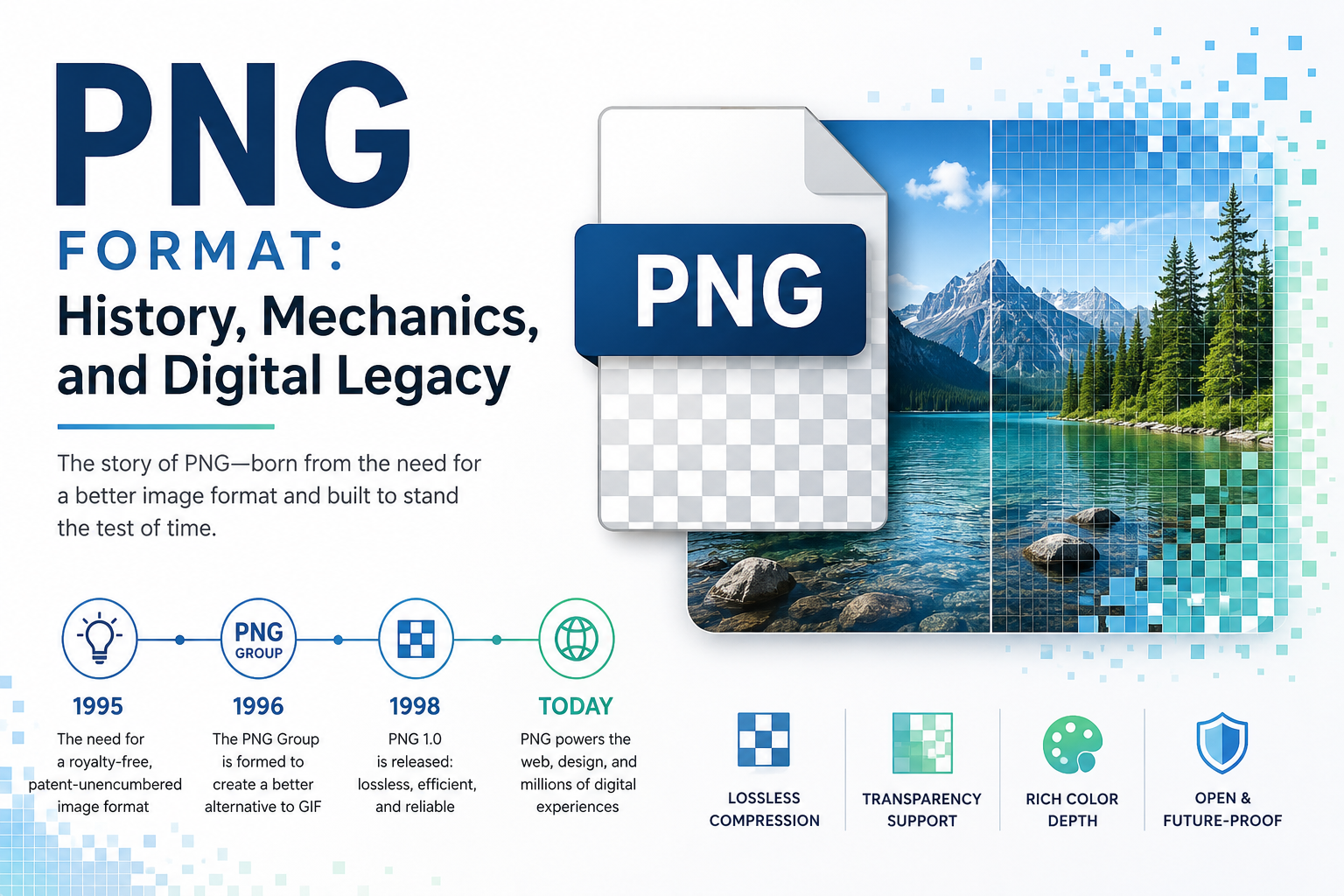
The Origins: A Rebellion Against Patents
To fully appreciate the creation of the PNG format, one must look back to the early days of the World Wide Web. In the early 1990s, the GIF (Graphics Interchange Format), originally developed by CompuServe in 1987, was the undisputed king of web graphics. It supported indexed color and rudimentary transparency, making it highly efficient and perfectly suited for the slow dial-up internet connections of the era.
However, a massive controversy erupted in 1995. The GIF format relied heavily on a specific data compression algorithm known as LZW (Lempel-Ziv-Welch). Unbeknownst to the wider software and web-building community, the LZW algorithm was actually patented by the Unisys Corporation. In late 1994, Unisys and CompuServe made a sudden announcement: developers of software that created or read GIF files would henceforth be required to pay licensing royalties.
This announcement sent shockwaves through the open-source and early web development communities. The early internet was built on an ethos of open sharing and free standards; a patented, restricted image format was viewed as an unacceptable existential threat to the web's growth.
In immediate response, a group of developers mobilized on Usenet computing forums. Their goal was clear and ambitious: create an open, patent-free, and technologically superior alternative to GIF. Speared by developers like Thomas Boutell, the PNG Development Group was formed. Working at a breakneck pace collaboratively across the globe, the group drafted the first PNG specification in early 1995. By October 1996, PNG version 1.0 was officially published as a W3C (World Wide Web Consortium) recommendation. It successfully replaced the need for GIF in static images, offering an open-source, mathematically elegant, and highly capable format that remains a global standard today.
Technical Foundations: How PNG Works
The enduring, decades-long success of the PNG format lies in its robust technical specifications. Unlike formats designed primarily to save storage space by discarding visual data, PNG was engineered from the ground up for absolute visual fidelity.
1. Lossless Compression
The single most defining characteristic of the PNG format is its use of lossless compression. When you save a JPEG, the computer purposefully discards some of the image data to reduce the file size (a process called lossy compression), which results in visual artifacts, blurring, and blockiness over time.
PNG, conversely, uses a non-patented, highly efficient compression algorithm known as DEFLATE—the exact same underlying mathematical algorithm used in standard ZIP files. DEFLATE combines LZ77 and Huffman coding to drastically shrink the file size without throwing away a single pixel of information. If you save, close, and re-save a PNG a thousand times, the thousandth image will be pixel-for-pixel identical to the original raw file.
2. Advanced Color Depth
While the older GIF format was strictly limited to an 8-bit palette (a maximum of 256 colors on screen at once), PNG was designed to be highly versatile, supporting multiple color spaces and depths to suit different needs:
Indexed Color: Much like GIF, PNG can utilize a restricted palette of up to 256 colors. This creates highly compressed files (often referred to as PNG-8) that are ideal for simple web icons and basic logos.
Grayscale: PNG natively supports 1, 2, 4, 8, or 16 bits per pixel for grayscale data, allowing for incredibly smooth black-and-white images without wasting data on unused color channels.
Truecolor: PNG supports 8 or 16 bits per color channel (Red, Green, Blue). A 16-bit per channel Truecolor PNG (often called 48-bit color) can display trillions of distinct colors, ensuring perfect gradients, smooth transitions, and absolute photographic fidelity.
3. The Alpha Channel (True Transparency)
GIF supported only binary transparency: a pixel was either 100% visible or completely invisible. This binary approach led to "haloing" effects—jagged, ugly, white borders when placing a cutout image over a background color it wasn't specifically designed for.
PNG revolutionized graphic design by introducing the Alpha Channel. This channel dictates the precise opacity of every single pixel on a sliding scale from 0 to 255. Because of this, a PNG can feature soft drop shadows, anti-aliased (smooth) edges, and translucent glass effects that blend flawlessly into any background over which they are placed, regardless of the background's color or pattern.
4. Adam7 Interlacing
For slow internet connections, PNG utilizes the Adam7 algorithm for image interlacing. Unlike standard top-to-bottom loading, Adam7 loads the image in seven distinct, mathematically spaced passes. A recognizable, low-resolution version of the image appears almost immediately on the screen, becoming progressively sharper and more detailed as the rest of the data downloads in the background.
Key Advantages of the PNG Format
Impeccable Quality: The strictly lossless nature of PNG makes it the ultimate choice for storing intermediate stages of graphic editing. Designers use PNG to ensure absolutely no data or clarity is lost during the creative process.
Crisp Text and Sharp Lines: Because it absolutely refuses to use lossy compression algorithms (which notoriously struggle with sharp contrast), PNG is the definitive digital format for images containing text, line art, architectural plans, UI screenshots, and graphs.
Unmatched Transparency Support: The 8-bit alpha channel remains the gold standard in web design for placing complex shapes, logos, and UI elements over varied, dynamic web backgrounds.
Cross-Platform Gamma Correction: PNG files can natively store gamma and chromaticity metadata. This means the image can communicate with the viewer's hardware to automatically adjust its brightness and color balance, ensuring the image looks consistent whether viewed on an Apple display, a Windows monitor, or a mobile phone screen.
A True Open Standard: As an ISO/IEC standard, PNG is completely free of licensing restrictions, ensuring universal, native support across all modern web browsers, image viewing software, and operating systems.
Limitations and Disadvantages
Despite its technical brilliance, the PNG format is not a magic, universal solution for every single image type. It carries specific limitations that dictate when it should be avoided.
Massive File Sizes for Photographs: Because PNG refuses to discard any visual data to save space, saving a high-resolution, wildly multi-colored photograph as a PNG will result in a massive file size. For complex photographs on the web, using a PNG will severely slow down page loading times and consume unnecessary bandwidth.
Lack of Native Print Support: PNG was designed specifically for digital screens (hence the Network in Portable Network Graphics). It solely supports the RGB (Red, Green, Blue) color space. It natively lacks support for CMYK (Cyan, Magenta, Yellow, Key/Black), which is the strict standard required for professional physical print production. Sending a PNG to a commercial printer requires the software to force a conversion from RGB to CMYK, which frequently results in dull, muddy, or unexpected color shifts.
No Native Animation: The original PNG specification intentionally excluded animation support to keep the format streamlined and simple to adopt. While a derivative format called APNG (Animated PNG) exists and is supported by modern browsers, it is not part of the base, original PNG specification. For standard short web animations, GIF, WebM, or HTML5 video generally remain more common or practical.
Understanding PNG in Context: How It Compares to Others
To truly master the use of PNG, it is crucial to understand how it behaves in direct comparison to the other major formats competing for space on your hard drive and web servers.
Comparing PNG to JPEG The relationship between PNG and JPEG is a study in contrasts. JPEG uses aggressive lossy compression. When you save a JPEG, it looks at areas of similar color and permanently blends them together to save massive amounts of file space. This makes JPEG the undisputed champion for complex, high-resolution digital photography where the human eye won't notice a few blended pixels in a busy forest or a cloudy sky. However, if you save a picture of a text document or a sharp logo as a JPEG, you will see ugly, blurry "artifacts" hugging the edges of the text. PNG, being lossless, handles sharp text and vector graphics flawlessly, keeping every edge razor-sharp, though it demands a much larger file size to do so. Furthermore, JPEG entirely lacks transparency; it will always force a solid background (usually white) behind your image, whereas PNG allows for invisible backgrounds.
Comparing PNG to GIF Historically, PNG was built to destroy GIF, and in the realm of static images, it absolutely did. GIF is restricted to a maximum of 256 colors, making it totally useless for modern, high-fidelity images. It also only supports binary "on/off" transparency, leading to jagged edges. PNG supports trillions of colors and a variable alpha channel for perfectly smooth transparency. The only area where GIF maintained its relevance was in simple, looping, silent animations, a feature the original PNG creators purposely omitted to keep their format clean and lightweight.
Comparing PNG to WebP Developed by Google in the 2010s, WebP is the modern challenger to PNG. WebP is incredibly versatile because it supports both lossy compression (like JPEG) and lossless compression (like PNG), while also supporting both transparency and animation. In many tests, a lossless WebP file will be significantly smaller in file size than an identical lossless PNG. While WebP is now widely supported by all modern browsers and is often the better choice for strict web optimization, PNG retains the advantage of absolute universal legacy support—it will open cleanly in almost any piece of software built since 1997, a claim WebP cannot yet make.
Best Practices for Using PNGs
To maximize the immense benefits of the PNG format without inadvertently slowing down website loading times or unnecessarily clogging your hard drive space, consider the following best practices in your daily workflow:
Choose the Right Type for the Job: Understand the fundamental difference between PNG-8 (indexed color) and PNG-24 (Truecolor). If you are saving a flat, simple logo that only utilizes three or four solid colors, force your editing software to export it as a PNG-8. The visual difference to the human eye will be entirely non-existent, but the resulting file size will plummet by up to 70%.
Rely on PNG for High Contrast: Always reach for the PNG format when taking screenshots of computer user interfaces, saving spreadsheets, or preserving digital text documents. JPEGs will invariably introduce blurry, blocky artifacts around sharp UI elements and text, whereas a PNG will keep every single letter and line mathematically sharp.
Optimize Before Uploading: Even perfectly lossless PNGs can usually be compressed a little further by safely stripping away invisible, unnecessary metadata (like camera data or software creation tags) and optimizing how the color palette is arranged in the code. Use dedicated tools like TinyPNG, ImageOptim, or PNGOUT to shave crucial kilobytes off your file sizes before uploading them to a live, public-facing website.
Keep PNG Away from the Camera: Unless you are strictly archiving a master copy of a photograph and demand absolute zero data loss for future editing, avoid using PNG for standard photography intended for web viewing. A vibrant 10MB PNG photo can easily be compressed down to a visually identical 1MB JPEG, saving immense amounts of bandwidth for both you and your website visitors.