Guide to Convert PDF to JPG: Methods, Privacy, and the Best Tools
The Portable Document Format (PDF) has been the go-to format for sharing digital documents since the 1990s.
Its main advantage is that it keeps the formatting exactly the same no matter where you open it—on a phone, tablet, or computer. But this fixed layout isn’t always the best choice. Sometimes, you need your document to look like a regular image instead of a text file.
Converting a PDF to a JPG (or JPEG) helps you switch between keeping the document’s look and making it more flexible for use as an image.
While it sounds simple, doing this securely and without losing quality takes some effort. This guide will explain why you might need to convert PDFs into JPGs, the privacy risks of using online converters, and the best tools for the job—including a top choice for privacy called Privconverter.com.
Why Convert a PDF to a JPG?
At first, turning a clear, readable document into a flat image might seem like a bad move.
But JPGs have some key benefits in specific situations where PDFs are not ideal.
Sharing on Social Media: Sites like Instagram, Facebook, LinkedIn, and X (formerly Twitter) are made for images, not PDFs.
If you want to share a flyer, resume, infographic, or report, converting it to a high-quality JPG is a must.
Web Design and Speed: You can put PDFs on websites, but they can be slow and require extra plugins.
Web builders often convert the first page of a PDF to a JPG for a quick, clickable thumbnail. This makes the site load faster and lets users see a preview before downloading.
Presentations and Video Editing: If you’re making slides in PowerPoint or Google Slides, or editing a video in Adobe Premiere, it’s easier to work with JPGs than PDFs.
Images scale well and work smoothly with animations and effects.
Compatibility with All Devices: JPG is one of the most widely used formats.
Almost any device with a screen—like a smartwatch or old TV—can show a JPG without needing extra software like Adobe Acrobat.
The Privacy Problem with Online Converters
When people need to convert files, they often search for “PDF to JPG” and find many free online tools.
While these are easy to use, they carry big privacy risks.
Most online converters ask you to upload your PDF to their servers.
They do the conversion on their computers, and then you download the JPG. This process can lead to several problems:
1.Data Interception: Any time you send data over the internet, there is a chance it could be stolen by hackers.
2.File Storage: Many free tools keep your files on their servers for a while. Even if they say they delete them after a few hours, your sensitive information—like bank statements, medical records, or legal documents—is on a third-party server without your control.
3.Data Mining: Some sites allow you to use their free services in exchange for letting them access and use the information in your files. They might use this data to train AI or sell it to other companies.
If you're working with private information, uploading files to unknown servers is a serious privacy risk.
The Secure Solution: Privconverter
To fix the privacy issues of regular online converters, new tools that focus on security have come out.
One of the best options is privconverter
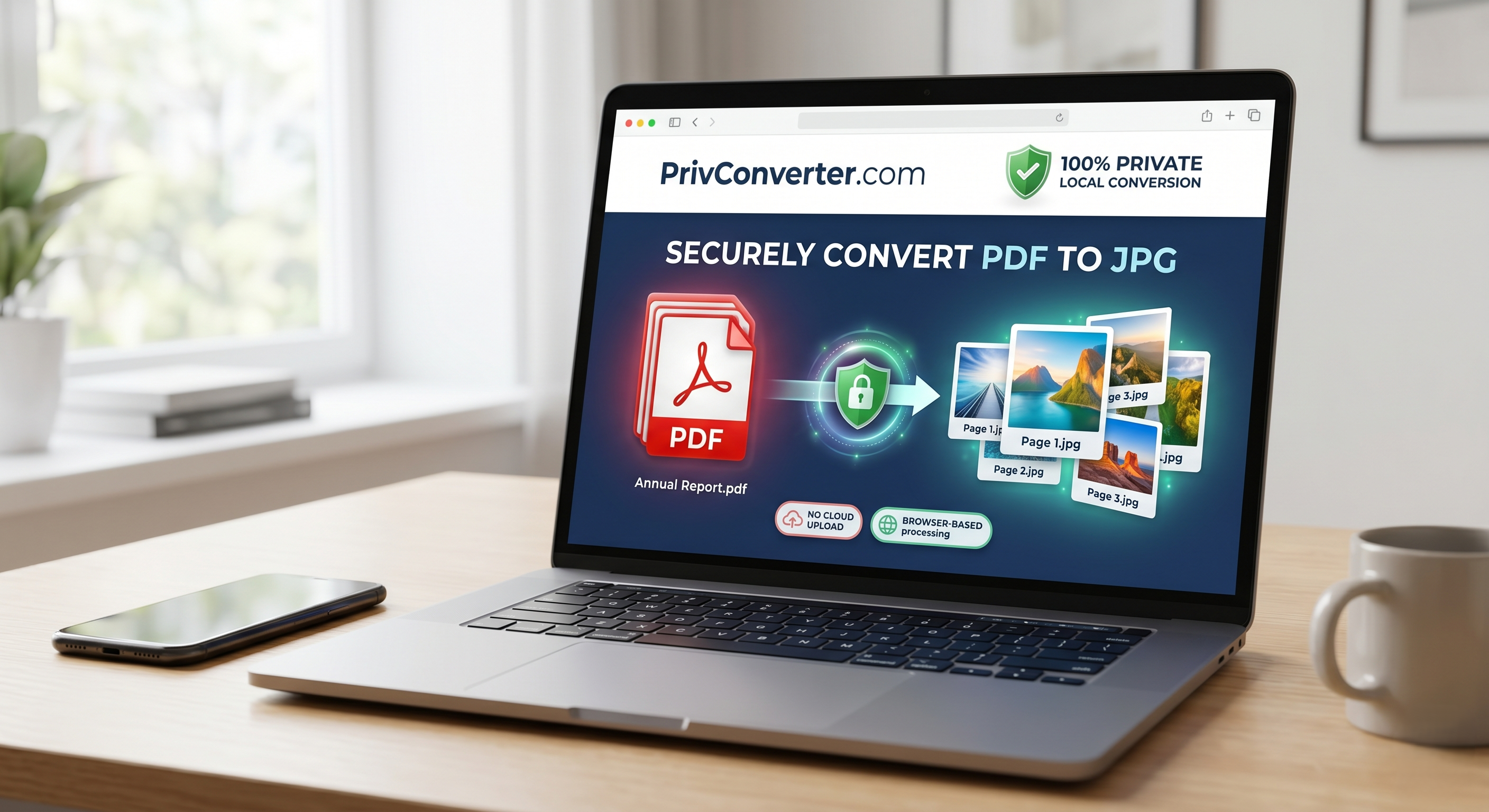
Privconverter.com is a website that helps you convert files in a secure and private way, including turning PDFs into high-quality JPGs.
What makes this tool stand out is its technology. It runs completely in your web browser, meaning your files never leave your device. This makes it much safer for handling sensitive information.
Here is why Privconverter is highly recommended for document conversion:
Private by Design: When you use Privconverter, your files never leave your device.
There are no uploads to a remote cloud server. The actual computational processing and conversion from PDF to JPG happen entirely within the memory of your own computer or smartphone.
No Tracking or Server-Side Logs: Because your data never touches their external servers, there is zero risk of the company storing, viewing, or logging your documents.
What happens on your machine stays entirely on your machine.
Lightning-Fast Processing: Traditional converters require you to wait for a file to upload, wait for the server to process it in a queue, and then wait for the new file to download.
Because PrivConverter utilizes client-side processing, the conversion is practically instantaneous, completely bypassing internet upload and download bottlenecks.
Ease of Use: Despite its advanced, localized security architecture, the tool remains as user-friendly as any basic drag-and-drop website.
You get the convenience of a modern web tool without the privacy compromises of cloud processing.
Other Reliable Methods for Conversion
If you prefer not to use web tools at all, your computer’s operating system likely has built-in methods for handling this conversion, though they may require a few more steps or lack batch-processing capabilities.
For macOS Users: Apple provides the most straightforward native solution.
Open your PDF using the default Preview application. Click on File in the top menu bar, select Export, and then choose JPEG from the format dropdown menu. You can easily adjust the quality and resolution sliders before saving the file to your hard drive.
For Windows Users: Windows does not have a direct "Export to JPG" feature built into its default system PDF viewer.
The simplest native workaround for a single page is to use the built-in Snipping Tool to take a high-quality screenshot of the PDF and manually save it as a JPG. For multi-page documents, you will typically need to install dedicated desktop software like Adobe Acrobat Pro.
For Power Users: If you need to convert hundreds of PDFs automatically, clicking through graphical interfaces will be incredibly tedious.
You can use command-line utilities like ImageMagick or write simple scripts using programming languages like Python (utilizing the pdf to image library) to batch-process massive volumes of files in seconds.
Crucial Best Practices to Remember
Regardless of the tool you ultimately choose, keep these technical aspects in mind when shifting from a document format to an image format:
Loss of Text Searchability: A PDF is built with underlying text data that you can highlight, copy, paste, and search.
A JPG, however, is a raster image—simply a grid of colored pixels. Once converted, the text becomes part of the picture itself. You will not be able to select or search the text in the resulting JPG unless you run it through specialized Optical Character Recognition (OCR) software later.
Handling Multi-Page Documents: A single PDF file can contain hundreds of pages.
A JPG file, by its nature, can only contain a single image. Therefore, if you convert a 10-page PDF, the output will be 10 separate JPG files. Most web converters and desktop tools will bundle these individual images into a single .zip folder so you don't have to download them one by one.
Understanding DPI (Dots Per Inch): Because JPGs are pixel-based, they can become blurry or severely pixelated if they are stretched too large.
When configuring your conversion settings, pay close attention to the DPI or quality slider. A setting of 72 DPI is perfectly adequate for viewing on screens, attaching to emails, or sharing on social media. However, if you plan to physically print the resulting JPG, you must increase the setting to at least 300 DPI to ensure the text and fine graphics remain crisp and professional.
Converting a PDF to a JPG is a common necessity in today's visually driven digital landscape.
Whether you are prepping a graphic for an Instagram post, optimizing a website layout, or assembling a presentation, knowing how to change formats effectively is a valuable digital skill. By understanding the privacy implications of cloud-based tools and opting for client-side solutions like PrivConverter.com, you can ensure that your digital workflow remains both highly efficient and completely secure.